
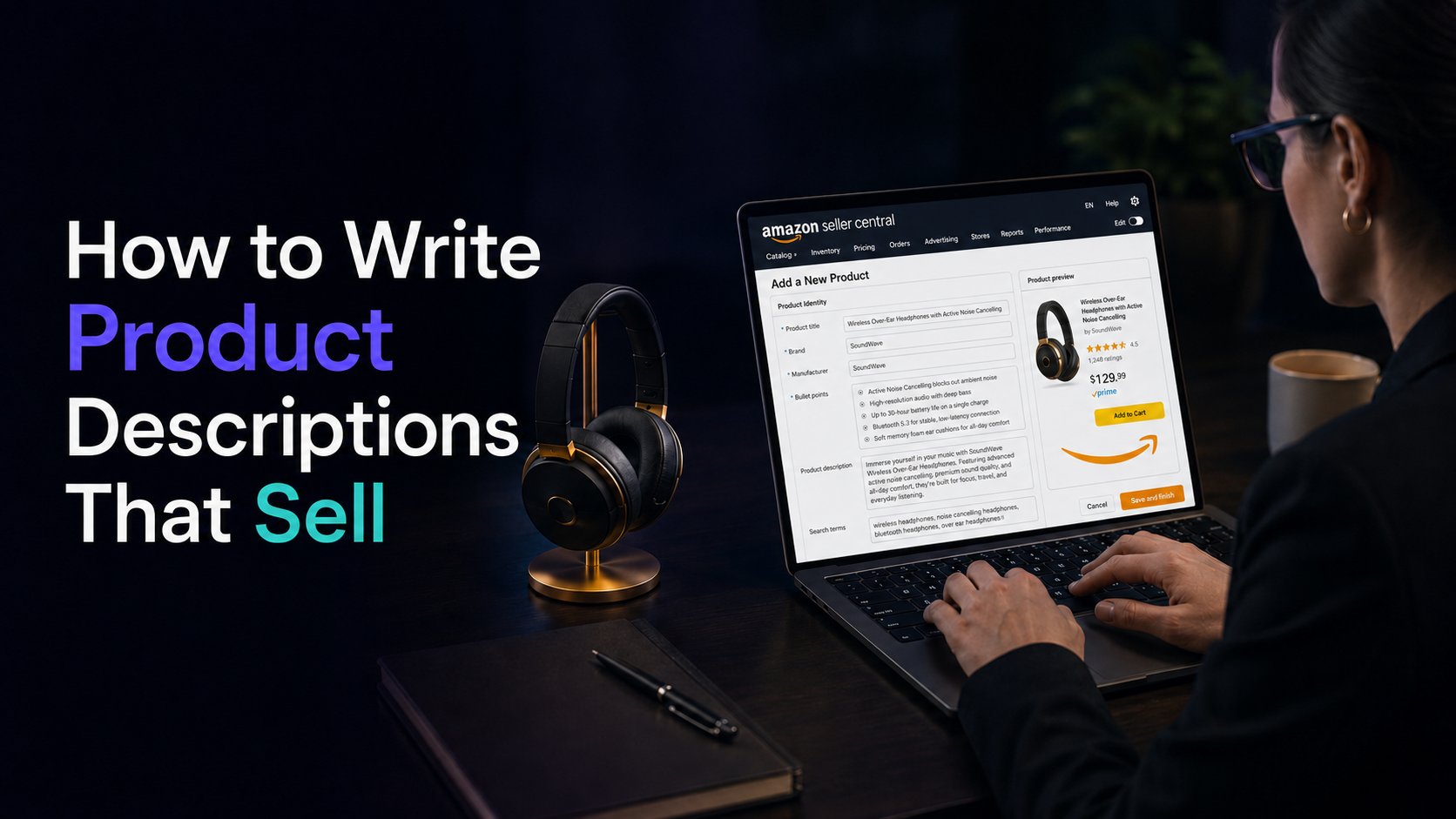
A product description written for a website and a product description written for Amazon can cover the exact same product and still need to be two completely different pieces of copy. On a website, a seller owns the page — links out, urgency banners, a countdown timer, a “read customer reviews” button, all of it is fair game. On Amazon, the seller is a guest on someone else’s real estate, and the description field comes with rules that have nothing to do with good copywriting and everything to do with what Amazon will allow to stay live.
Most sellers write the Amazon description the way they’d write any other product page, then wonder why a listing gets suppressed or a description gets silently rewritten by Amazon’s compliance systems. The fix isn’t better adjectives. It’s understanding which variables actually apply inside Amazon’s box before writing a single sentence.
Why an Amazon description isn’t a landing page
A website description exists to move a visitor further into a funnel a seller controls — toward an email signup, a related product, a discount code, a review page. An Amazon description exists to close the sale on that one page, because there’s nowhere else on Amazon for the shopper to go. There’s no “next step” to link to, no email capture, no external CTA. Every variable that matters has to work inside a single, rule-bound block of text sitting below the bullet points.
That distinction is what makes most repurposed website copy fail on Amazon — not because the writing is bad, but because it was built for a page with exits, dropped onto a page that isn’t allowed to have any.
What Amazon actually allows inside the description field
Amazon’s own product description guidelines are narrower than most sellers expect:
- 2,000 characters, hard cap. Not a soft recommendation — the field stops accepting text past that limit.
- No HTML. Amazon deprecated HTML in the description field in 2021. No bold, no italics, no bullet tags — a line break is the only formatting tool left, which is why dense, unbroken walls of text read as unfinished rather than premium.
- No JavaScript or other code of any kind, even if a template used to render it elsewhere.
- A concise, honest, friendly overview of what the product is and does — not a sales letter, not a spec sheet, not a keyword dump.
None of this is a suggestion. Descriptions that ignore it don’t get a warning first — they get edited, flagged, or the listing loses visibility while the seller assumes the drop-off is a demand problem.
The rule that trips up sellers who don’t mean to break it
The most common mistake isn’t formatting — it’s linking. A seller used to writing “see more on our website” or dropping a support email into copy will do the same thing in an Amazon description without thinking twice. Amazon’s product detail page rules are explicit: no links off Amazon, no email addresses, no phone numbers, no social handles, anywhere in the listing — description included. It isn’t treated as a minor style issue. It’s a policy violation that can get the listing pulled.
The same rule bans pricing and promotional language inside the copy itself — “free shipping,” “sale ends Friday,” a strikethrough price — because those belong in the price and deals fields Amazon already controls. A description that tries to create urgency the way a website banner would is describing something Amazon won’t let it say.
A website description is written to be found, then to lead somewhere else. An Amazon description is written to be found, then to close the sale on the spot — because it’s the last page the shopper will see before checkout, not the first page of a funnel.
Website description vs. Amazon description, side by side
Laid out next to each other, the variables that actually change aren’t stylistic — they’re structural:
| Variable | Website product description | Amazon product description |
|---|---|---|
| Primary goal | Move the visitor deeper into the funnel | Close the sale on this one page |
| Links / contact info | Encouraged (related products, reviews, email signup) | Prohibited — policy violation if included |
| Formatting | Full HTML: bold, headers, embeds, custom layout | Plain text plus line breaks only, since 2021 |
| Length | Effectively unlimited | 2,000-character hard cap |
| Pricing / urgency language | Allowed and often central (“Sale ends Friday”) | Prohibited — belongs in Amazon’s own price/deal fields |
| Keyword purpose | Ranks the page itself in Google | Feeds Amazon’s A9/A10 relevance match, alongside conversion data |
| Social proof | Can quote or link to reviews directly | Can reference quality/trust in general terms, can’t quote reviews or claim rankings (“#1 Best Seller”) without formal backing |
| Who controls the page | The seller | Amazon — the seller is a guest under its rules |
What actually moves the sale from inside those limits
With the rules fixed, the description still does real work — it’s just narrower work than a website page does:
- Answer the hesitation the bullets didn’t cover. Bullets handle specs and standout features; the description is where a shopper who’s still unsure gets the context that closes the gap — how it’s used day to day, what it’s made for, who it fits.
- Use the highest-value secondary keywords naturally. The title and bullets already carry the primary terms; the description is where synonyms and use-case phrasing reinforce relevance without repeating what’s already been said.
- Write in short paragraphs, not one block. Since the only formatting tool left is the line break, using it generously is the difference between a description that reads as considered and one that reads as a wall of text on a phone screen.
- Keep the tone honest and specific. Vague superlatives read as filler once bold and bullets are off the table — concrete detail is what fills the space that formatting used to do.
A+ Content changes what’s possible — for sellers who qualify
Brand-registered sellers aren’t limited to the plain-text description at all. Amazon’s A+ Content replaces the standard description with modules — enhanced images, comparison charts, brand story sections — and Amazon’s own data credits well-built Premium A+ Content with meaningfully higher conversion. It requires a Professional selling plan and Brand Registry enrollment, which is exactly why most sellers still write to the plain 2,000-character field and never revisit it once the listing goes live.
Either way, the constraint is the same one this whole comparison comes down to: a website description is written for a page the seller owns, and an Amazon description is written for a page the seller is renting under someone else’s rules.
This is the same discipline behind Avezant’s multichannel work — the copy, compliance, and formatting rules are different on every channel a store sells on, and treating Amazon like a second website is exactly what gets listings flagged. The deeper rules around Amazon SEO and compliance cover what happens above the description — titles, backend search terms, reviews policy. If it’s not clear whether a listing’s underperformance is a copy problem, a compliance problem, or both, a free audit will show exactly which one it is.